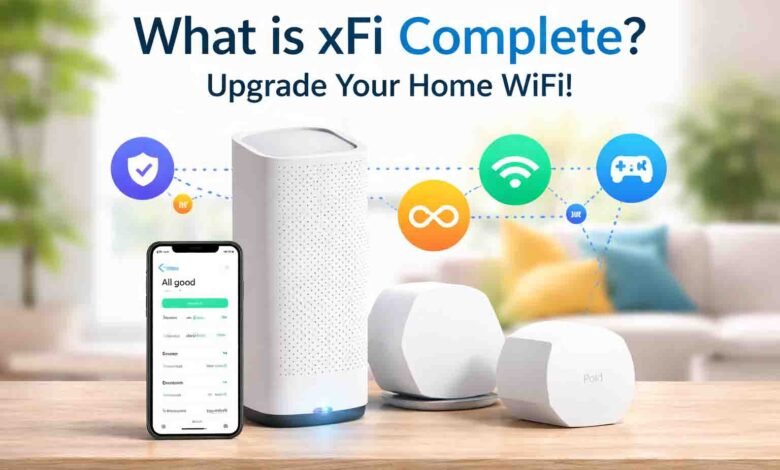
The internet has become an important part of our daily lives. We use it for work, streaming shows, online games, and smart home devices. A strong and fast internet connection makes everything easier and smoother.
Xfinity is one of the most popular internet providers in the United States. Many people trust it for home internet. But sometimes, the basic plans may not cover heavy internet use or smart home devices.
This is where xFi Complete comes in. It is an add-on from Xfinity that upgrades your home WiFi. It removes data limits, adds better security, and helps manage your internet easily.
In this article, we will explain what xFi Complete is, what it includes, how it works, and whether it is worth paying for in 2026. We will also cover tips to set it up and how it can help your home WiFi.
What is xFi Complete?
xFi Complete is a premium add-on for Xfinity internet. It is designed to improve your home WiFi. This service combines unlimited data, a special Xfinity modem-router called xFi Gateway, and advanced security tools in one package.
It is perfect for families and households that use a lot of internet every day. If you stream in 4K, play online games, or use many smart home devices, xFi Complete helps your internet stay fast and stable.
Some people call it “Xfinity Complete”, but the official name is xFi Complete. It works with the Xfinity app to make managing your WiFi simple. You can see all devices on your network and control settings easily.
The main idea of xFi Complete is to give users unlimited data, better security, and smoother WiFi coverage. It is an all-in-one solution for modern homes with multiple devices and heavy internet use.
What Comes with xFi Complete?
First, xFi Complete gives you unlimited data. This removes the standard 1.2 TB monthly limit found in older Xfinity plans. You can stream, game, or upload without worrying about extra fees.
Next, it includes the xFi Gateway modem-router. This device provides fast and stable internet in your home. It also supports Wi-Fi 6 or Wi-Fi 7, which can handle many devices at once without slowing down.
You also get Advanced Security protection. This helps keep your network safe from viruses, malware, and hackers. You can see alerts if something unusual happens, and the system updates automatically.
Finally, xFi Complete supports whole-home WiFi management and optional xFi Pods. The pods extend WiFi to weak areas of your home. Everything is controlled easily through the Xfinity app, making your internet simple to manage.
How xFi Complete Works
xFi Complete works by using the xFi Gateway and the Xfinity app together. The gateway sends WiFi to your home. The app helps you manage all devices connected to the internet.
The system monitors devices automatically. It can alert you if there is unusual activity or a possible security problem. This helps keep your home network safe.
xFi Pods can be added to improve WiFi coverage. They work as a mesh network, which means all devices connect to the strongest signal automatically. You don’t need to switch networks while moving in your house.
The Xfinity app makes management very simple. You can check connected devices, set parental controls, pause internet for certain devices, and optimize your WiFi. Everything is automated and easy, even for beginners.
Who Should Use xFi Complete?
You should keep xFi Complete if you often use a lot of data. For example, if your household streams 4K videos, plays online games, or has many smart home devices, it will help your internet stay fast.
It is also good for people with older Xfinity plans that still have the 1.2 TB data cap. This add-on removes the cap and prevents overage fees for extra data.
You may not need xFi Complete if your new Xfinity plan already includes unlimited data. Some newer plans include unlimited internet and equipment, so the add-on might not add extra value.
It is also less necessary if you already have a good personal router. In that case, you might not need the xFi Gateway or xFi Pods. It is best for people who want a full all-in-one solution from Xfinity.
xFi Complete Pricing
xFi Complete costs $25 per month. This price covers the xFi Gateway modem-router, unlimited data, and security tools. The fee is shown as a separate line on your Xfinity bill.
If you add xFi Pods, they are included in the plan depending on your home’s WiFi coverage. This helps eliminate weak signal areas in larger homes.
The $25 price is often cheaper than Xfinity’s standalone unlimited data add-on. That add-on usually costs about $30 per month and only removes the data cap.
Overall, the cost makes sense for people who want all-in-one WiFi, unlimited data, and security, especially if their current Xfinity plan does not include unlimited internet.
xFi Complete vs Other Xfinity Options
Xfinity offers several internet options. The xFi Gateway is the basic modem-router. It costs $14 per month. It provides WiFi and basic security, but no unlimited data.
xFi Complete costs $25 per month. It includes unlimited data, advanced security, WiFi management, and optional xFi Pods. It is designed for families, smart homes, and heavy internet users.
Xfinity Pro costs $15 per month. It improves WiFi coverage in your home using upgraded equipment. It does not include unlimited data but focuses on better signals and faster connections in dead zones.
The main difference is that xFi Complete bundles unlimited data, security, and WiFi management, while other options focus on either basic service or better WiFi coverage.
xFi Pods and Mesh WiFi
xFi Pods are small devices that improve WiFi in weak areas of your home. They connect with the xFi Gateway to form a mesh network. This helps your devices always connect to the strongest signal.
The setup is simple. You plug in the pods, and they automatically work with your existing network. You do not need technical knowledge.
xFi Pods are managed through the Xfinity app. You can see where your signal is weak and control the network easily. They are helpful for larger homes or places with many walls or floors.
Overall, xFi Pods ensure that your WiFi is fast, smooth, and reliable everywhere in your home.
Features of xFi Complete
1. Unlimited Data
xFi Complete removes the 1.2 TB monthly data cap. This means you can stream 4K videos, download large games, or upload videos without worrying about extra fees.
If your household uses a lot of smart devices, such as cameras or smart speakers, unlimited data ensures everything works smoothly without slowing down.
This feature is perfect for families with heavy internet use. You do not have to monitor data or pay extra for overages.
2. Parental Controls
xFi Complete lets parents manage how their children use the internet. You can block websites, pause devices, or limit usage during bedtime.
These tools are easy to set up through the Xfinity app. You can control each device individually, like a tablet, smartphone, or game console.
Parents can check internet activity and make sure children are safe online. This gives peace of mind without complicated setups.
3. xFi Gateway
The xFi Gateway is a modem-router provided by Xfinity. With xFi Complete, the rental fee is included in the plan.
The gateway supports Wi-Fi 6 or Wi-Fi 7, which handles many devices at the same time without slowing down. It is fast and stable for streaming, gaming, and work from home.
If your gateway stops working, Xfinity can replace it, so you do not need to buy a new router yourself.
4. Advanced Security
xFi Complete includes advanced security tools to protect your network. It monitors devices and alerts you if it detects malware or suspicious activity.
The system updates automatically, so you always have the latest protection. You do not need to manage security manually.
This feature helps keep your family safe online and protects devices like laptops, smartphones, and smart TVs from threats.
5. xFi App Access
The Xfinity app allows full control of your network. You can add or remove devices, pause internet, or adjust parental controls easily.
You can check which devices are connected and see if anything unusual is happening. The app provides a simple way to manage your home WiFi from anywhere.
It also helps set up WiFi quickly, manage xFi Pods, and keep the network organized without complicated menus.
6. High-Speed Internet Support
xFi Complete does not increase your internet speed directly, but it ensures consistent performance by removing data limits and managing network traffic efficiently.
Your speed still depends on your Xfinity plan and your gateway. But unlimited data and mesh coverage prevent slowdowns caused by overused bandwidth.
This is helpful for streaming multiple 4K videos, gaming, video calls, and smart home devices at the same time.
7. Whole-Home WiFi Evaluation
After activation, Xfinity evaluates WiFi coverage in your home. If it finds weak spots, xFi Pods may be added to improve signal.
This ensures all areas of your home, including basements and distant rooms, have stable WiFi. You do not need to manually adjust settings.
This evaluation works automatically with the Xfinity app and improves your home internet experience without extra work.
Setting Up xFi Complete
First, install the xFi Gateway. Connect the coaxial cable and power cord. Make sure the lights show the device is active.
Next, download the Xfinity app on your phone. Log in to your account and activate your network. Follow the on-screen instructions to set up devices.
After that, name your WiFi network and set a password. Add any xFi Pods if needed for dead zones.
Finally, manage devices and parental controls through the app. You can pause internet, check usage, and adjust settings easily from anywhere.
Pros and Cons of What is xFi Complete
Pros:
- Unlimited data with no overage fees
- Gateway rental included in plan
- Optional xFi Pods improve WiFi coverage
- Advanced security included
- Easy device management via app
- Hardware replacement if gateway fails
Cons:
- Must use Xfinity hardware, no third-party routers
- Limited customization for advanced users
- $25/month may feel high for light users
- Minimal benefit if plan already has unlimited data
- Some users report minor connection drops
Is xFi Complete Worth It?
xFi Complete is worth it for households that use a lot of data every month. It removes the 1.2 TB cap, provides security, and makes WiFi management simple.
It is ideal for smart homes, families with multiple devices, gamers, and heavy streamers. You can watch 4K shows, play online games, and run smart devices smoothly.
If your Xfinity plan already includes unlimited data and good equipment, you might not need xFi Complete. In that case, the extra $25 per month may not add value.
Overall, it is best for people who want all-in-one internet management and security without worrying about technical setup.
How to Cancel or Change xFi Complete
To cancel, call 1-800-XFINITY (1-800-934-6489). Ask the representative to remove xFi Complete from your account.
Confirm that all recurring charges are removed. Check your new plan to see if it already includes unlimited data, so you avoid paying for services you do not need.
You can also manage xFi Complete changes through the Xfinity app. Some settings, like adding or removing devices, can be adjusted without calling customer service.
Final Thoughts
xFi Complete is an all-in-one WiFi upgrade for Xfinity users. It includes unlimited data, xFi Gateway, security, and optional xFi Pods for large homes.
It is perfect for families, smart homes, heavy streamers, and gamers. You get reliable internet, easy network control, and strong coverage everywhere in your home.
However, if your current plan already includes unlimited data and a good router, xFi Complete may not be necessary.
In 2026, xFi Complete is a great option for people who want hassle-free internet, strong security, and full control of their home WiFi network.
FAQs
What comes with xFi Complete?
It includes unlimited data, the xFi Gateway rental, advanced security protection, whole-home WiFi management via the Xfinity app, and optional xFi Pods to remove weak WiFi spots. Everything works together to make your home internet easy and safe.
How much does xFi Complete cost?
xFi Complete costs $25 per month. This includes the gateway rental and unlimited data with security tools. If your home needs extra WiFi coverage, optional xFi Pods are included depending on your home setup.
Who should use xFi Complete?
You should use it if your household streams 4K videos, plays online games, or has many smart devices. It is also useful for people on older Xfinity plans with a 1.2 TB data limit, as xFi Complete removes the cap.
Can I use my own router with xFi Complete?
xFi Complete works best with the Xfinity xFi Gateway. Some features, like parental controls and xFi Pods, may not work fully with your own router. It is designed to be an all-in-one system managed by Xfinity.
What are xFi Pods and how do they help?
xFi Pods are small devices that extend your WiFi to weak areas of your home. They create a mesh network, automatically connecting devices to the strongest signal. This ensures fast and smooth internet everywhere in your house.
People Also Read:
Portugal D Type Visas in 2026 A Complete Strategic Guide for Residency and Business Migration
Fapelli The Modern Business Tool Changing the Digital World
Zuyomernon System Basketball: The Simple Strategy Changing the Game