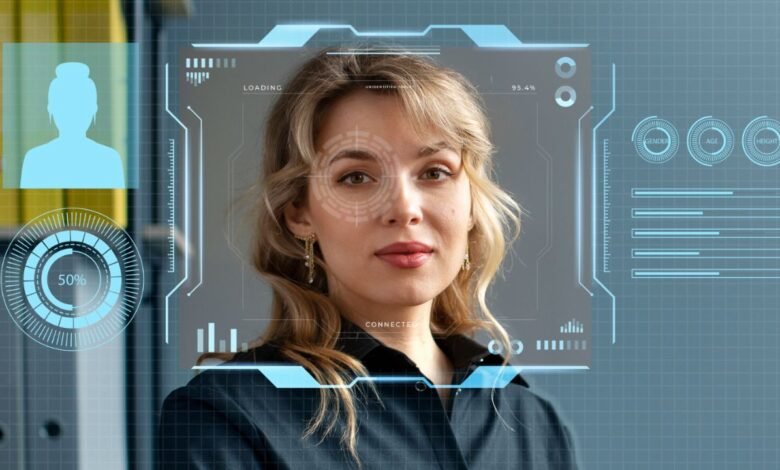
Professional headshots are no longer limited to studio bookings, expensive photographers, or hours of post-production editing. With rapid advancements in artificial intelligence, anyone can generate polished, studio-quality portraits from a simple selfie. Whether you need a LinkedIn profile picture, a corporate website bio image, or a clean portfolio photo, today’s AI-powered tools can deliver surprisingly realistic results.
In this blog, we explore six of the most realistic AI headshot generator tools available right now, starting with Invideo and followed by other strong options in the market. Each tool takes a slightly different approach to realism, lighting, retouching, and professional presentation.
1. Invideo
When it comes to convenience and speed, invideo stands out for its ability to transform casual photos into polished, professional portraits without requiring a studio setup.
Turn Casual Photos Into Studio-Quality Headshots
With invideo, users can skip studio visits and create professional headshots directly from everyday photos. Simply upload your image, and the platform enhances lighting, sharpness, background, and overall presentation to generate studio-quality headshots in seconds. These results are suitable for LinkedIn profiles, resumes, company websites, and creative portfolios.
The AI headshot generator inside invideo focuses on realistic lighting balance, facial detail retention, and subtle retouching rather than overly smoothing skin or distorting features. The goal is to make you look like your best professional self—not a digitally altered version.
Instead of heavy filters or artificial enhancements, the system improves clarity, adjusts posture alignment where possible, refines shadows, and ensures background consistency. The outcome feels natural, corporate-ready, and professional.
Why Realism Matters in Professional Headshots
In professional settings, authenticity builds trust. An over-edited or visibly AI-altered image can undermine credibility. The AI headshot generator in invideo prioritizes realism by:
- Preserving natural skin texture
- Maintaining accurate facial proportions
- Adjusting lighting to match real studio conditions
- Enhancing detail without oversharpening
Because invideo also functions as an AI video creator app, users who need cohesive branding across video introductions, portfolio showcases, and headshots can maintain visual consistency across formats. This makes it especially useful for creators, consultants, founders, and remote professionals building a strong digital presence.
Rather than positioning itself as just a photo tool, invideo integrates headshot creation into a broader content workflow, making it a practical choice for modern professionals who manage both visual and video-based branding.
2. Aragon AI
Aragon AI has built a reputation around delivering highly realistic corporate-style headshots. It focuses specifically on professional portrait generation and has been adopted widely by remote teams and distributed companies.
Corporate-Ready Results
Users upload several selfies from different angles. The AI studies facial structure, lighting patterns, and expressions to produce polished headshots in business attire and formal settings. Results typically include neutral backgrounds, soft studio lighting, and refined detail.
What makes Aragon AI stand out is its consistency across multiple outputs. Instead of generating wildly different interpretations of a face, it aims to preserve identity while offering subtle variety in clothing, background, and framing.
Strengths
- Strong realism for corporate environments
- Balanced retouching without excessive smoothing
- Professional lighting simulation
It is particularly useful for teams that want a unified look without organizing in-person photoshoots.
3. HeadshotPro
HeadshotPro focuses on creating business-ready portraits for professionals, startups, and corporate teams.
Designed for Teams
One of its core advantages is scalability. Companies can onboard multiple employees and generate cohesive headshots across departments. The AI produces realistic facial details and natural lighting that mimic professional studio sessions.
HeadshotPro emphasizes:
- Realistic shadows and highlights
- Subtle facial refinement
- Professional attire variations
Visual Consistency Across Roles
For organizations aiming to standardize employee profile photos, HeadshotPro offers consistent framing and tone. This avoids the visual mismatch that often occurs when different employees upload unrelated selfies.
The realism is typically strong, though results can vary depending on the quality and diversity of uploaded source photos.
4. BetterPic
BetterPic is known for producing high-resolution AI-generated headshots with an emphasis on detail and sharpness.
High-Resolution Focus
Unlike some tools that compress or overly smooth images, BetterPic maintains crisp details around the eyes, hairline, and facial contours. This helps preserve authenticity and avoids the “plastic” look sometimes associated with AI portraits.
Users upload a set of casual photos, and the AI processes them to generate professional-style headshots with clean backgrounds and refined lighting.
Who It’s Best For
- Professionals updating LinkedIn profiles
- Job seekers preparing resumes
- Freelancers refreshing portfolio photos
BetterPic’s strength lies in its clarity and precision, making it a solid option for those who want a clean and realistic finish.
5. Try It On AI
Try It On AI combines personalization with stylistic adjustments to generate business-ready portraits.
Balanced Enhancement
This tool focuses on improving overall image quality while maintaining the subject’s natural appearance. Lighting adjustments are subtle, and skin retouching is moderate rather than extreme.
It also offers multiple variations in wardrobe and backdrop, giving users flexibility depending on whether they need something formal, semi-formal, or creative.
Realism Over Stylization
While some AI portrait tools experiment with dramatic effects, Try It On AI prioritizes professional realism. This makes it well-suited for consultants, executives, and professionals in client-facing roles.
6. Secta AI
Secta AI approaches headshot generation with an emphasis on identity preservation and photorealism.
Identity Preservation Technology
One of the biggest challenges in AI-generated headshots is maintaining a person’s recognizable features. Secta AI aims to address this by analyzing multiple reference photos and minimizing distortion.
The tool generates headshots that feature:
- Accurate facial symmetry
- Natural skin tones
- Realistic depth of field
- Balanced background blur
Ideal for Digital Professionals
Remote workers, tech professionals, and entrepreneurs often use Secta AI to create professional images without scheduling a photographer. The results generally lean toward clean, modern aesthetics rather than traditional studio formality.
What Makes an AI Headshot Truly Realistic?
With so many options available, realism has become the defining factor. But what exactly makes an AI-generated headshot look authentic?
1. Natural Skin Texture
Over-smoothed skin immediately signals artificial editing. The best tools preserve pores and subtle texture while reducing harsh lighting inconsistencies.
2. Accurate Lighting Simulation
Studio lighting follows specific patterns—key light, fill light, and subtle shadows. Realistic AI headshots replicate this balance instead of applying flat brightness adjustments.
3. Proper Facial Proportions
Distorted eyes, asymmetrical features, or unnatural jawlines break realism. High-quality AI models maintain anatomical accuracy.
4. Subtle Retouching
Minor blemish correction and tone balancing are helpful. Excessive reshaping or dramatic enhancements reduce credibility, especially in professional contexts.
5. Background Integration
The background should match the lighting and depth of the subject. Poorly blended backdrops create a cut-and-paste effect.
How to Get the Best Results From AI Headshot Tools
Even the most advanced AI tools depend on quality inputs. To maximize realism:
- Upload clear, well-lit photos
- Include multiple angles
- Avoid heavy filters in source images
- Use natural expressions
- Provide photos with consistent lighting
The better your original images, the more accurate and realistic the final headshot will appear.
Are AI Headshots Replacing Traditional Photography?
AI headshot generators are not necessarily replacing professional photographers, but they are redefining accessibility.
For corporate executives, actors, or public figures, traditional studio photography still offers full creative control and artistic direction. However, for remote teams, job seekers, freelancers, and entrepreneurs, AI tools offer a practical and affordable alternative.
They eliminate logistical barriers such as location, scheduling, and cost, making professional-quality images available to a broader audience.
Final Thoughts
The demand for professional digital presence continues to grow. From LinkedIn profiles to company websites and speaker bios, headshots play a crucial role in shaping first impressions.
Tools like invideo and others listed above demonstrate how far AI has progressed in delivering realistic, studio-style portraits from everyday photos. The key differentiator is realism—natural lighting, accurate facial detail, subtle enhancement, and authentic representation.
As AI technology continues to evolve, the line between studio photography and AI-generated portraits will become even harder to distinguish. For now, these six tools represent some of the most realistic AI headshot generator options available, helping professionals present themselves confidently in a digital-first world.